Assessment
Information regarding assignment extensions and exam viewing appointments.
Assignment Submission
The majority of assignments for subjects offered by the Faculty of Business and Economics will be submitted online through the LMS subject page.
Assessment Adjustments – Extensions and Special Considerations
Unexpected circumstances can sometimes affect your ability to complete assessments on time. If this happens, there are short-term assessment adjustments available depending on your situation and assessment type.
The short-term adjustments this University provides are:
- Short extensions: a one-off extended period of 3 days to submit an assignment
- Extensions: a longer period of time to submit an assignment
- Special consideration: an adjustment for any assessment item, including exams, oral presentations and attendance hurdles
All requests for these short-term adjustments are created, tracked and managed in the Extensions and Special Consideration application form. See the Assessment Adjustments page for information on what adjustments are right for your circumstances and how to apply.
If you are experiencing long term impacts due to a disability, ongoing health conditions, or eligible commitments, you may be eligible for ongoing support with an Academic Adjustment Plan (AAP). Students with a verified AAP can find out how to activate their supports (including extensions) on the Action your Plan page.
Exam Viewing Appointments
Exam viewing appointments are an opportunity for you to view your exam paper and the marks you have received for each question. You cannot request a remarking of your paper or negotiate for additional marks. It is an opportunity for feedback only.
- Please do not book more than one appointment per subject.
- Students who are sitting a supplementary or special exam are not permitted to view their original exam paper.
- You must present your student ID card at your appointment.
- For zoom appointments, you will find the Zoom link in the appointment details in your LMS calendar. When you enter the zoom appointment, you will be in a waiting room. You need to wait until the academic grants you access to the meeting.
- Appointment times are in Australian Eastern Standard Time (AEST). Please allow for time zone differences if you are overseas.
How to reserve an exam viewing appointment
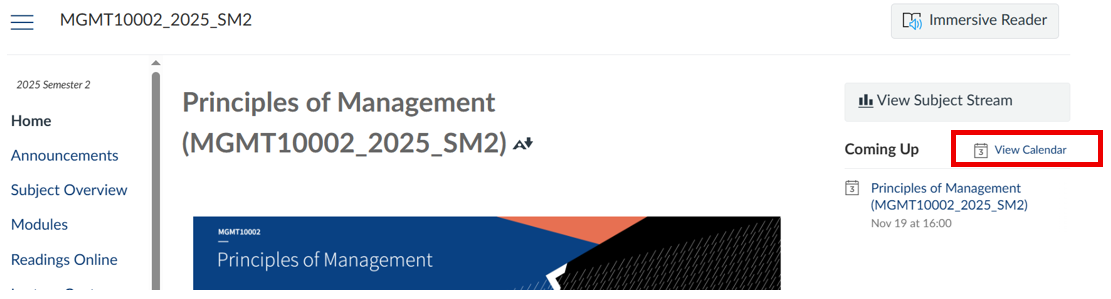
1. Log in to your subject’s LMS page, and select View Calendar on the right-hand side.
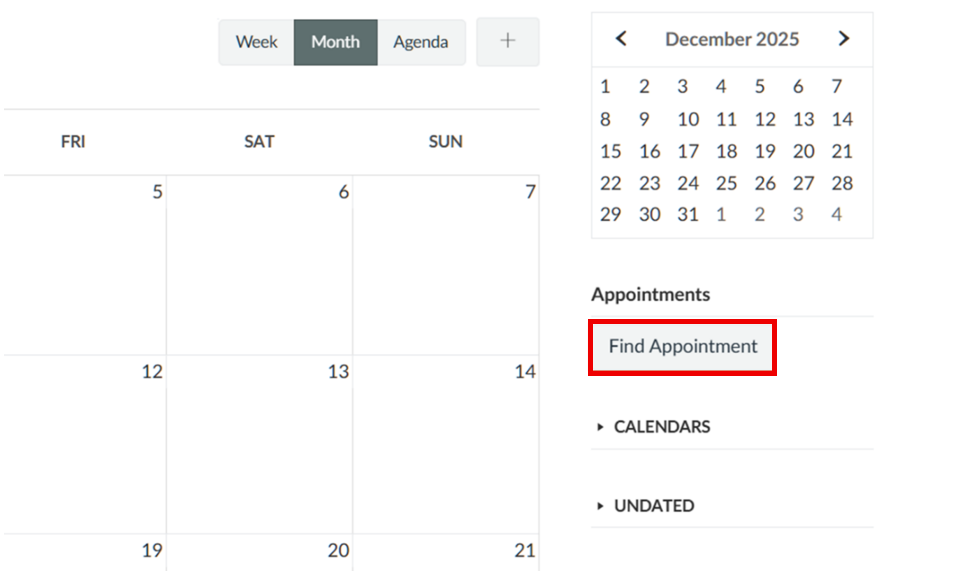
2. Select Find Appointment to view and reserve available slots.
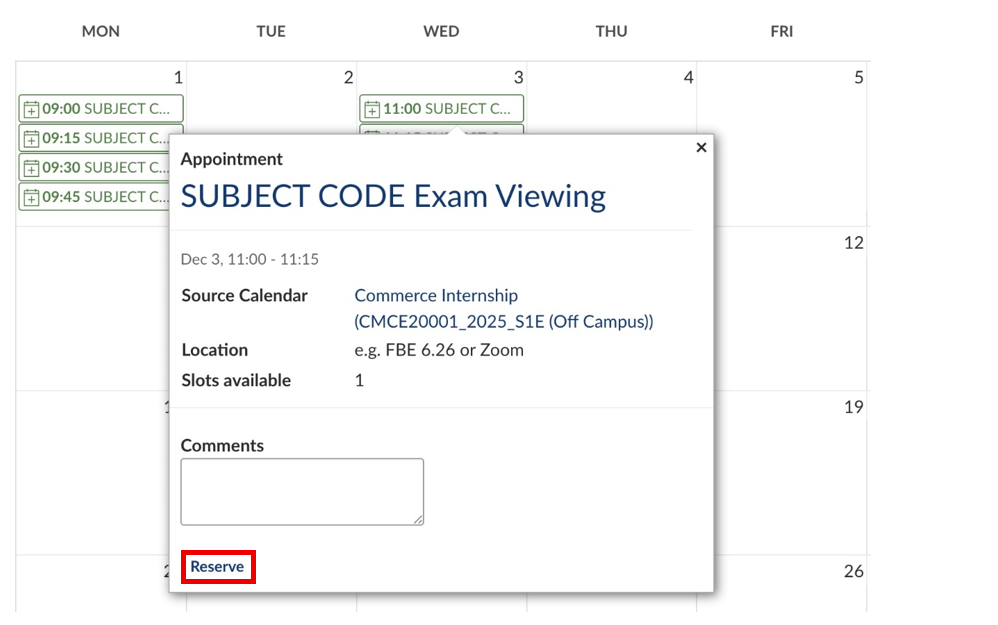
3. Find a suitable availability, and click Reserve to book in your exam viewing appointment.
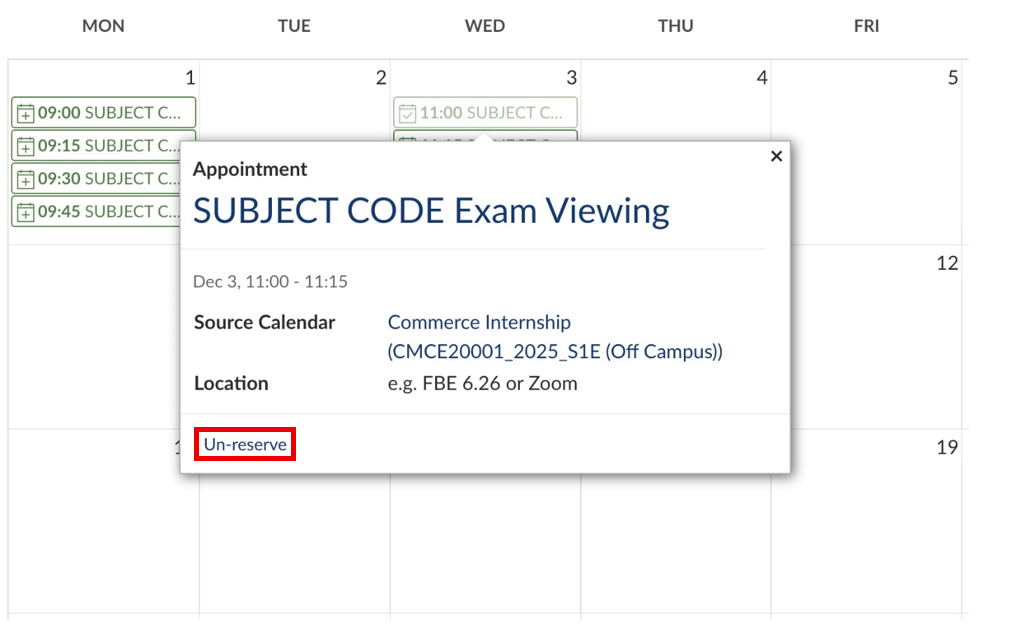
To cancel an appointment, simply click on the appointment time and select Un-Reserve.
Note: Students who book appointments as part of a group will not see the booking on their subject calendar once it’s confirmed. To view the appointment, scroll down your list of calendars, find your Group name, and tick the checkbox next to it. Once the group calendar is selected, the appointment will appear.
If you have any queries regarding Exam Viewing, please check our FAQ page.